Privacy-First AI Photo Editors: Tools That Protect Your Data
Keep Your Photos Private: AI Photo Editors That Protect Your Data
Did you know that when you upload photos to many online editors, your images might be stored on company servers and used to train their AI models?
In our excitement to use amazing AI photo tools, we often click “I Agree” without reading the fine print. But what happens to your personal photos, family memories, or professional work after you edit them? Privacy-first AI editors offer a different approach—they give you powerful editing tools while keeping your photos safe on your own device.
Why Photo Privacy Matters More Than Ever
We’re not just talking about random vacation photos anymore. The photos we edit can reveal sensitive information about our lives.
Your Photos Tell Your Story
Think about what’s in your camera roll:
- Pictures of your home and belongings
- Photos of your children and family members
- Images of documents or personal information
- Location data embedded in the files
- Faces of everyone you know
When you upload these to someone else’s server, you’re trusting them with pieces of your personal story. And once it’s on the internet, you can never truly take it back.
The Hidden Cost of “Free” Tools
Many free AI editors make money by using your data. Their terms of service might allow them to:
- Store your photos on their servers indefinitely
- Use your images to train their AI models
- Analyze your content for advertising purposes
- Share data with third parties
You might be paying with your privacy instead of your credit card.
How Privacy-First AI Editors Work Differently
These tools are designed from the ground up to protect your data while still delivering powerful AI editing capabilities.
Local Processing: The Key to Privacy
Instead of sending your photos to distant servers, privacy-first editors process everything directly on your device. This means:
- Your photos never leave your computer
- No internet connection required for most edits
- Faster processing for many tasks
- Complete control over your files
It’s like having a professional photo lab in your own home instead of mailing your film to a stranger.
Offline AI Models
The magic happens because these tools download the AI models to your device. The intelligence is built into the software itself, not accessed through the cloud. You get all the smarts without sacrificing your privacy.
Top Privacy-First AI Photo Editors Available Now
Ready to edit safely? Here are excellent tools that put your privacy first.
| Tool Name | Best For | Cost | Privacy Feature |
|---|---|---|---|
| GIMP with AI Plugins | Maximum control & customization | Free | Everything stays on your device |
| Darktable | RAW photo processing | Free | Local processing only |
| Photopea | Browser-based convenience | Free | Processes in your browser |
| Krita | Digital artists & painters | Free | No data collection |
Understanding Your Privacy Options
GIMP is the classic open-source editor that’s been protecting user privacy for decades. With new AI plugins, it can now handle tasks like upscaling and denoising without ever touching the internet. You maintain complete control.
Darktable is specifically designed for photographers who shoot in RAW format. It processes everything locally and doesn’t even have an option to send your photos anywhere. Your editing secrets stay with you.
Photopea works in your browser but processes everything locally using your computer’s power. While it’s web-based, your photos never get uploaded to their servers during editing.
Krita is primarily a digital painting tool, but its AI-assisted features work entirely offline. It’s perfect for creative edits and illustrations without privacy concerns.
What You Can Still Do with Privacy-First Tools
You might worry that local editors can’t compete with cloud AI, but you’d be surprised at their capabilities.
Powerful AI Features That Work Offline
Modern privacy-first tools can handle:
- AI denoising to clean up grainy photos
- Face detection and enhancement
- Automatic color correction
- Background removal
- Photo upscaling
- Object recognition for organization
The AI revolution has come to your desktop, no internet required.
The Trade-Offs to Understand
There are some limitations with local processing:
- Slower processing on older computers
- Limited to your device’s power
- Smaller selection of AI models
- Manual updates required
For most people, these trade-offs are worth it for the peace of mind.
Setting Up Your Private Editing Workflow
Getting started with privacy-first editing is easier than you might think.
- Download Your Chosen Editor from the official website (always verify the source!)
- Install Any AI Plugins that enhance your editing capabilities
- Disable Internet Access for the application if you want maximum privacy (optional)
- Process Your Photos and enjoy knowing they’re safe
- Back Up Your Edited Photos to your own secure storage
Consider working on an external hard drive if you’re editing sensitive professional work or personal projects.
Reading Between the Lines: Privacy Policies
Learning to spot red flags in terms of service can help you make informed choices.
Warning Signs in Terms of Service
Be cautious if you see phrases like:
- “We may use your content to improve our services”
- “You grant us a license to your uploaded materials”
- “We collect metadata and usage patterns”
- “Data may be shared with partners”
Green Flags for Privacy
Look for statements such as:
- “All processing occurs locally on your device”
- “We do not store or access your photos”
- “No personal data collection”
- “Open source” (meaning anyone can check the code)
“True privacy means not having to trust promises—it means having technical guarantees that your data stays yours.”
When Cloud Editing Might Still Make Sense
There are situations where cloud editors might be appropriate:
- Editing non-sensitive photos for social media
- When you need specific AI features not available locally
- Working on low-power devices that can’t handle local processing
- Collaborating with others on non-confidential projects
The key is making conscious choices about which photos go where.
Frequently Asked Questions
Are privacy-first editors really as good as cloud ones?
For most common tasks, yes! The gap has narrowed significantly, and for basic to intermediate editing, you won’t miss much.
Do I need a powerful computer?
For basic edits, no. For heavy AI processing like video or batch operations, a more powerful computer helps, but many tools work well on average machines.
Can I use these for professional work?
Absolutely! Many professional photographers and designers use tools like GIMP and Darktable for client work where confidentiality matters.
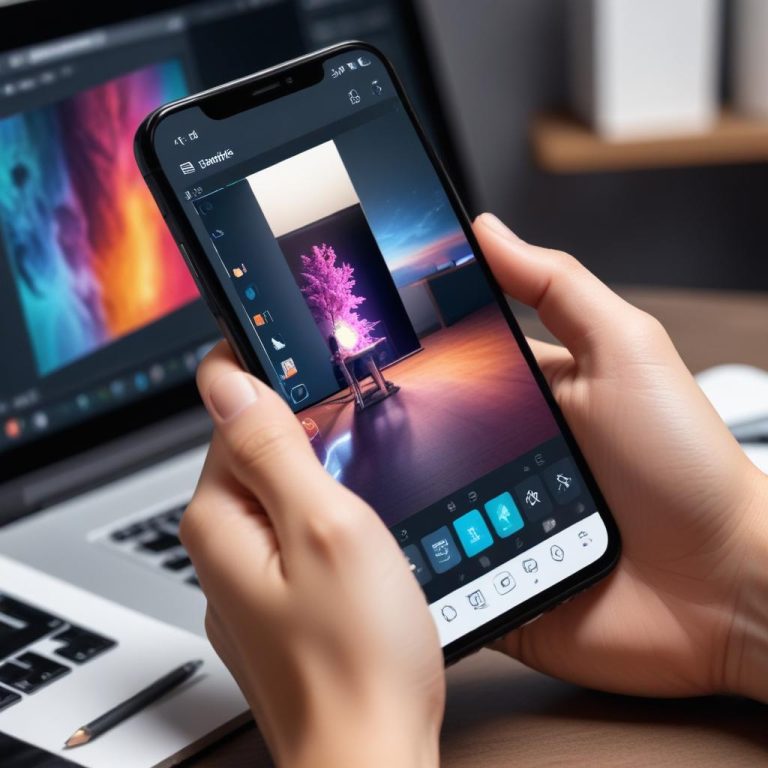
What about mobile editing?
Some mobile apps process locally, but you need to read their privacy policies carefully. Look for “on-device processing” in the description.
Is open source software safer?
Generally yes, because security researchers can examine the code for vulnerabilities or privacy issues. But you still need to download from official sources.
How do these tools make money if they’re free?
Some rely on donations, others offer premium versions with extra features, and some are community-supported projects.
Take Control of Your Digital Memories
In a world where our personal photos have become data points, privacy-first AI editors give us a choice. We don’t have to sacrifice amazing editing capabilities to protect our personal information.
The next time you edit photos, ask yourself: where are my photos going, and who has access to them? With the tools available today, you can have both incredible AI power and complete privacy.
What’s the most private photo you would never want to upload to the cloud? That’s probably the one you should edit with these tools first!