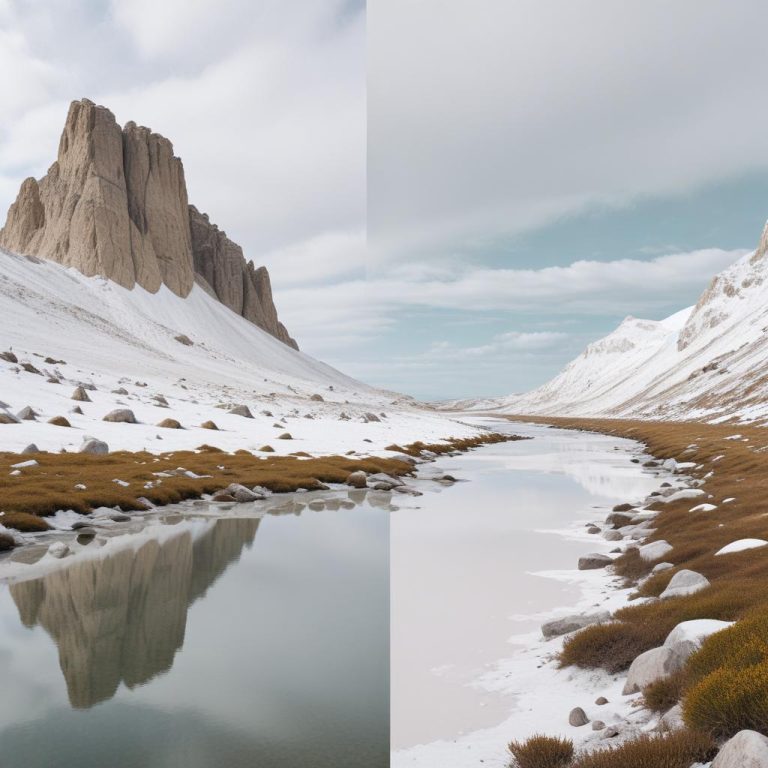
Sharpen Blurry Images Online Free – Enhance Photo Clarity Instantly with AI Photo Editor
Have you ever captured what seemed like the perfect moment, only to discover later that your photo turned out blurry? Whether it’s a precious family memory, an important business presentation, or that once-in-a-lifetime sunset shot, blurry images can be incredibly frustrating. The good news is that you don’t need expensive software or professional skills to fix these problems anymore.
Modern technology has made it possible to sharpen image online using advanced AI-powered tools that work instantly through your web browser. These free online solutions can transform your fuzzy, unclear photos into crisp, professional-looking images in just seconds. With the right image sharpening tool, you can rescue those precious memories and make your photos look amazing without spending a dime or downloading heavy software.
Why Do Photos Become Blurry?
Understanding the root causes of blurry photos helps you both prevent them and know when sharpening tools can help. Camera shake is the most common culprit – when your hands move slightly during the shot, especially in low light conditions. Motion blur occurs when your subject moves too quickly for your camera’s shutter speed to freeze the action.
Focus issues also create soft, unclear images. Sometimes your camera focuses on the wrong part of the scene, or the autofocus system struggles in challenging lighting conditions. Poor lens quality, dirty camera sensors, and atmospheric conditions like fog or heat waves can also reduce image sharpness.
“A sharp image is the foundation of great photography, but even the best photographers sometimes end up with blurry shots due to technical challenges or unexpected circumstances.”
The exciting part is that many of these issues can be corrected using modern enhance image sharpness tools that use artificial intelligence to analyze and improve your photos.
How Online Image Sharpening Works
The Science Behind Digital Sharpening
Online sharpening tools work by analyzing the pixel patterns in your image and identifying edges where contrast changes occur. The software then enhances these edges by increasing the contrast between adjacent pixels, making details appear more defined and crisp.
Advanced AI algorithms go beyond simple edge detection. They can distinguish between actual image details and noise, ensuring that only the important features get enhanced. This prevents the common problem of amplifying grain or creating artificial-looking results.
Types of Blur That Can Be Fixed
Different types of blur require different approaches:
- Motion blur from camera shake can often be significantly improved
- Focus blur responds well to sharpening algorithms
- Slight out-of-focus areas can be brought back to acceptable sharpness
- Compression blur from heavily compressed JPEG files can be reduced
However, it’s important to understand that severely blurred images or those with extreme motion blur may have limited improvement potential.
Top Features to Look for in Free Online Sharpening Tools
User-Friendly Interface
The best image sharpening tool options provide simple, intuitive interfaces that don’t require technical expertise. Look for tools with drag-and-drop upload functionality, real-time preview options, and clear before-and-after comparisons.
Multiple Sharpening Algorithms
Quality online editors offer different sharpening methods suited for various types of blur. Some tools provide preset options like “Portrait,” “Landscape,” or “Text” that automatically apply appropriate settings.
Batch Processing Capabilities
If you need to fix blurry photos in large quantities, batch processing saves enormous amounts of time. This feature allows you to apply the same sharpening settings to multiple images simultaneously.
Format Support and Quality Preservation
Premium free tools support various image formats (JPEG, PNG, TIFF, RAW) and maintain image quality throughout the editing process. They should also offer options to download in different resolutions and quality levels.
Step-by-Step Guide to Sharpen Images Online
Getting Started
- Choose your online tool – Select a reputable free image editor
- Upload your image – Most tools support drag-and-drop or file browser upload
- Select the sharpening feature – Look for options labeled “Sharpen,” “Enhance,” or “Clarity”
- Adjust settings – Start with automatic settings, then fine-tune if needed
- Preview results – Use zoom features to examine details closely
- Download your enhanced image – Save in your preferred format and quality
Advanced Techniques for Better Results
For photos with mixed blur types, try applying sharpening selectively to specific areas rather than the entire image. Many online tools offer masking or selection tools that let you target only the parts that need enhancement.
Combine sharpening with other adjustments like contrast enhancement or noise reduction for optimal results. Sometimes a slight increase in contrast makes sharpening more effective.
Comparing Free vs. Premium Online Tools
| Feature | Free Tools | Premium Tools |
|---|---|---|
| Basic Sharpening | ✅ Available | ✅ Enhanced algorithms |
| File Size Limits | Usually 10-50MB | Often unlimited |
| Processing Speed | Standard | Priority processing |
| Advanced Controls | Limited | Full customization |
| Batch Processing | Rarely included | Usually available |
| Watermarks | Sometimes present | None |
| Customer Support | Community forums | Direct support |
| Export Quality | Good | Excellent |
Common Mistakes to Avoid
Over-Sharpening Your Images
The most frequent error when trying to improve photo clarity is applying too much sharpening. This creates ugly halos around edges and makes images look artificial. Always use a light touch and build up gradually.
Ignoring Image Resolution
Sharpening works best on images with adequate resolution. Trying to sharpen very small or low-resolution images often disappoints because there simply isn’t enough image data to work with.
Not Considering the Final Use
Different output purposes require different sharpening approaches. Images for web display need different treatment than those intended for large prints.
Tips for Taking Sharper Photos Originally
Camera Settings and Techniques
While online tools can rescue blurry photos, prevention remains the best strategy. Use faster shutter speeds to freeze motion, ensure proper focus by using single-point autofocus, and consider using a tripod in low-light situations.
Environmental Factors
Good lighting reduces the need for slow shutter speeds that often cause blur. When possible, shoot in well-lit conditions or use external flash to provide adequate illumination.
Equipment Considerations
Keep your camera lens clean, as even small amounts of dust or smudges can reduce sharpness significantly. If you’re using a smartphone, make sure the camera lens isn’t covered by fingerprints or case edges.
Advanced Online Editing Beyond Basic Sharpening
Modern free online editors offer complementary features that work well alongside sharpening:
- Noise reduction removes grain while preserving details
- Contrast adjustment makes sharpened edges more pronounced
- Brightness correction improves overall image quality
- Color enhancement makes sharpened images more vibrant
These tools work together to create professional-looking results that go far beyond simple sharpening.
The Future of Online Image Enhancement
Artificial intelligence continues to revolutionize photo editing. Modern AI can distinguish between intentional artistic blur and unwanted camera shake, applying corrections more intelligently than ever before.
Machine learning algorithms trained on millions of images can now predict what a sharp version of a blurry photo should look like, sometimes producing results that seem almost magical.
“AI-powered image enhancement is rapidly approaching the point where it can recover details that seem impossible to retrieve from heavily degraded images.”
Conclusion
Learning to sharpen image online opens up new possibilities for rescuing your precious photos and creating professional-looking results without expensive software. The key is understanding when and how to apply these tools effectively.
Remember that while online sharpening tools are incredibly powerful, they work best as part of a comprehensive approach that includes good photography techniques and realistic expectations about what can be achieved.
Start with free tools to learn the basics, then consider premium options if you find yourself regularly needing advanced features. Most importantly, don’t be afraid to experiment – digital editing is forgiving, and you can always start over if you don’t like the results.
Frequently Asked Questions
Q: Can online tools really fix very blurry photos? A: It depends on the type and severity of blur. Motion blur from slight camera shake often improves dramatically, while severe out-of-focus blur has more limited improvement potential. AI-powered tools generally produce better results than traditional sharpening methods.
Q: Are free online sharpening tools safe to use? A: Reputable tools are generally safe, but always check privacy policies to understand how your images are handled. Some tools process images on their servers, while others work locally in your browser for better privacy.
Q: How much can I improve a blurry photo? A: Results vary widely depending on the original image quality and blur type. You can typically expect noticeable improvements in photos with mild to moderate blur, but severely damaged images may see only limited enhancement.
Q: Will sharpening work on old or damaged photos? A: Yes, online sharpening tools can often improve old photos, especially those that became soft due to scanning or age-related deterioration. Combining sharpening with noise reduction often produces excellent results for vintage images.
Q: Can I sharpen photos taken with my phone? A: Absolutely! Phone photos respond very well to online sharpening tools. Since phone cameras sometimes struggle with focus in challenging conditions, these tools can significantly improve your mobile photography results.
Q: Is there a limit to how many photos I can sharpen for free? A: This varies by platform. Some tools offer unlimited free use with certain restrictions (like file size limits or watermarks), while others may limit the number of photos you can process per day or month.