AI Photo Editing APIs for Developers: Build the Future of Imaging
You’re building a killer app. It does everything—except make photos look amazing. Manually coding complex image filters feels like reinventing the wheel, and it’s a wheel that’s already rolling towards AI.
You don’t have to build the AI yourself. That’s where AI Photo Editing APIs come in. Think of them as super-smart, cloud-based tools you can plug directly into your application. They handle the heavy lifting of understanding and manipulating images, so you can focus on creating the perfect user experience. This guide is for developers who want to add professional-grade photo intelligence to their apps without becoming machine learning experts.
What Are AI Photo Editing APIs?
In simple terms, an AI Photo Editing API (Application Programming Interface) is a web service you can call from your code. You send it an image and a command, and it sends back a transformed image. The magic is that the service uses trained Artificial Intelligence models to perform tasks that would be incredibly complex to program manually.
Why APIs Beat Building From Scratch
Building a reliable AI for something like object removal isn’t just about writing an algorithm. It’s about:
- Massive Datasets: Training models on millions of image pairs (before/after edits).
- Computational Power: Requiring serious GPU hardware for training and inference.
- Constant Updates: Keeping up with the latest research in computer vision.
APIs let you bypass all that. You pay for usage and get state-of-the-art results delivered to your app in seconds. It’s the difference between building a car factory and calling an Uber.
The Core Categories of Image APIs
APIs generally fall into a few powerful categories that solve common, valuable problems.
1. Enhancement & Correction APIs: The “Make It Better” Tools
These are your workhorses. They fix common photographic problems automatically.
- Upscaling & Super-Resolution: Turn a small, low-res image into a larger, detailed one. Perfect for thumbnails or old scans.
- Denoising & Sharpening: Clean up grainy low-light photos or blurry shots intelligently.
- Colorization & Color Grading: Add realistic color to black-and-white photos or apply consistent color styles.
- Dehazing & Low-Light Enhancement: Correct foggy landscapes or brighten dark images without looking artificial.
2. Manipulation & Generative APIs: The “Change It” Tools
This is where things get creative. These APIs allow you to fundamentally alter image content.
- Background Removal: Instantly extract the main subject from any background. A huge use case for e-commerce and design apps.
- Object Removal & Inpainting: Erase unwanted objects, people, or text from a scene, with the AI filling in the gap believably.
- Generative Fill & Outpainting: Expand an image beyond its borders or add new objects that match the style and lighting.
- Style Transfer: Apply the artistic style of a painting or another image to a photograph.
3. Analysis & Detection APIs: The “Understand It” Tools
Sometimes you need to know what’s in the image before you edit it.
- Face Detection & Analysis: Find faces, landmarks (eyes, nose), and even attributes (emotion, age range).
- Object & Scene Detection: Identify thousands of objects (cars, furniture, animals) and settings (beach, office, forest).
- Content Moderation: Automatically flag inappropriate or unsafe content.
Here’s a quick look at how these API categories map to common development needs:
| API Category | What It Does | Developer Use Case Example |
|---|---|---|
| Enhancement | Improves technical quality (size, noise, light). | A user uploads a blurry product photo; your app auto-fixes it before listing. |
| Manipulation | Alters or generates new image content. | A design app lets users remove the background from a portrait with one click. |
| Analysis | Identifies and labels content within the image. | A social platform auto-tags photos with detected objects for better search. |
| Workflow | Combines multiple steps into one call. | An e-commerce API that crops, resizes, and optimizes product images on upload. |
Choosing the Right API: A Developer’s Checklist
With many providers, how do you choose? Don’t just look at the flashiest demo. Evaluate like an engineer.
- Quality of Results: This is non-negotiable. Run your own tests with a diverse set of images (portraits, landscapes, text, low-light). Does the background removal have clean edges? Does object removal leave obvious artifacts?
- Latency & Speed: How many milliseconds does an API call take? For a real-time user-facing feature, even 500ms can feel slow. Check for provider speed guarantees or regional servers.
- Developer Experience (DX): Is the documentation clear? Are there good SDKs (Python, Node.js, etc.) and code samples? Is the authentication straightforward (API keys, OAuth)?
- Pricing Model: Understand the cost structure. Is it pay-per-call, tiered subscriptions, or based on compute time? Estimate your monthly volume to forecast costs. Watch for free tiers for prototyping.
- Reliability & SLAs: What is the uptime history? Do they offer a Service Level Agreement (SLA)? For a business-critical feature, 99.9% uptime is very different from 99%.
- Compliance & Data Privacy: Where is data processed? Is it retained? For handling user photos, GDPR and other privacy regulations are crucial. Some APIs offer data processing agreements.
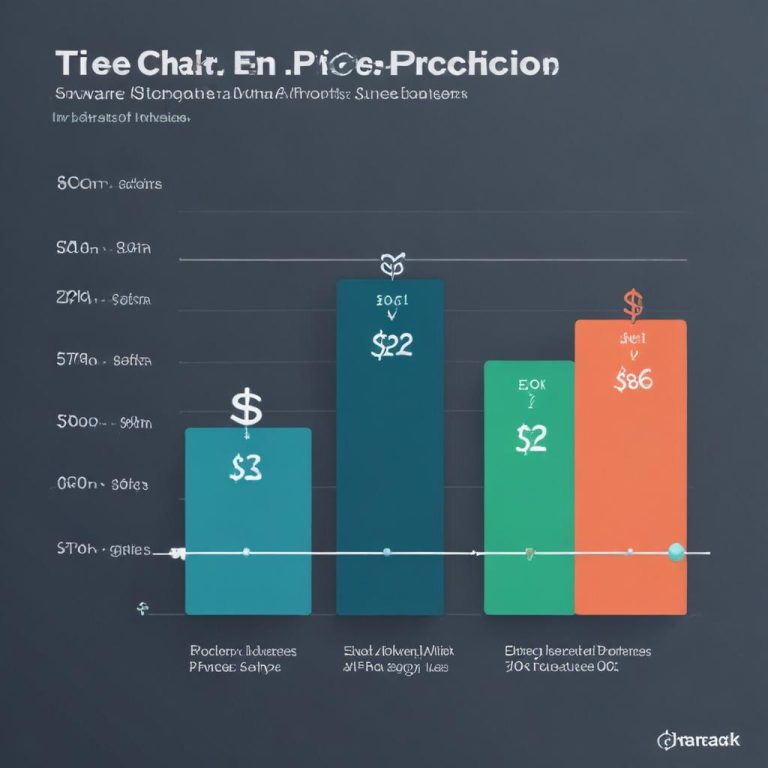
To help visualize the trade-offs, the chart below compares the primary focus and typical use case for the three major API categories.
Your First Integration: A Practical Walkthrough
Let’s say you want to add automatic background removal to your app using a hypothetical API.
- Sign Up & Get Credentials: Register with a provider (e.g., Remove.bg, ClipDrop, or an Azure AI service). Get your API key.
- Check the Docs: Find the endpoint URL (e.g.,
https://api.remove.bg/v1.0/removebg) and the required parameters. It will likely accept a POST request with your image file or URL. - Write the Code (Python Example):
import requests

api_key = "YOUR_API_KEY_HERE"
api_url = "https://api.remove.bg/v1.0/removebg"

# Prepare the image file
image_file = open("input.jpg", "rb")

# Send the request
response = requests.post(
    api_url,
    files={"image_file": image_file},
    data={"size": "auto"},
    headers={"X-Api-Key": api_key}
)

# Handle the response
if response.status_code == requests.codes.ok:
    # Save the processed image
    with open("output.png", "wb") as output_file:
        output_file.write(response.content)
    print("Background removed successfully!")
else:
print("Error:", response.status_code, response.text)- Handle the Response: The API will return the processed image directly (binary data) or a URL to it. Integrate this result into your app’s flow—show a preview, save it, etc.
- Implement Robust Error Handling: Network fails, APIs hit limits, invalid images get sent. Wrap your calls in try-catch, check status codes, and provide user-friendly feedback.
Beyond the Basics: Advanced Considerations
- Asynchronous Processing: For very large images or complex tasks, the API might return a job ID. You’ll need to poll a status endpoint or set up a webhook to get the result when ready.
- Batching: Need to process 10,000 images? Look for providers that offer batch endpoints to optimize costs and efficiency.
- Custom Models: Some advanced platforms let you fine-tune or train models on your own dataset. This is key if you have a very specific use case (e.g., detecting defects in manufacturing photos).
Frequently Asked Questions
Aren’t these APIs expensive?
They can be, at scale. But they turn a capital expense (hiring an ML team) into an operational one. Start with a provider’s free tier or pay-as-you-go plan to prototype and validate. The cost is often trivial compared to the value added to your app.
How do I keep user data private when sending it to a third-party API?
This is critical. Choose providers with strong data privacy policies, preferably those that do not retain your images for model training. For highly sensitive data, look for on-premise deployment options, though these are rarer and more expensive.
What if the API goes down or changes?
Mitigate risk by:
- Choosing a reputable provider with a history of stability.
- Building a fallback in your app (e.g., a simpler, non-AI filter or a graceful error message).
- Abstracting the API call in your code. Don’t call
RemoveBgAPIdirectly; callBackgroundRemover.remove(). This way, you can swap the provider later by changing code in one place.
Can I use multiple APIs together?
Absolutely! This is a powerful pattern. Use an Analysis API to detect a face, then crop and send that region to an Enhancement API for retouching, and finally a Style Transfer API to apply an artistic filter. You’re orchestrating a super-powered image pipeline.
What’s the biggest rookie mistake?
Not testing with real-world data. An API might do great on the clean sample images in the docs but fail on the messy, varied photos your real users will upload. Build a robust testing suite.
Start Building Smarter Apps
AI Photo Editing APIs are a force multiplier. They let small developer teams add features that once required the resources of a company like Adobe. Whether you’re building the next social sensation, a powerful e-commerce platform, or an internal tool, these APIs give you the power to work with images intelligently.
Stop thinking about pixels. Start thinking about possibilities.
Which image problem are you trying to solve in your current project? Have you tried integrating an AI API yet? Share your challenges and wins in the comments!