Creative Collage Editing Ideas You Can Do Online
Ever find yourself with multiple photos you love, but can’t decide which one to share? What if you didn’t have to choose and could combine them into one stunning visual story instead?
Photo collages have come a long way from simple grids of pictures. Today’s online tools let you create artistic compositions that blend images seamlessly, tell compelling stories, and showcase your creativity in ways single photos can’t. The best part? You can create these masterpieces right in your browser without downloading any software.
Whether you’re making a memory board, social media post, or artistic presentation, this guide will show you creative collage ideas that go far beyond basic grids.
Beyond Basic Grids: Modern Collage Styles
Forget boring squares! Today’s collages are about creative layouts that guide the viewer’s eye and create emotional impact.
The Shape-Based Collage
This style arranges your photos to form a larger shape or object, creating an instant visual statement.
- Choose Your Shape: Pick something meaningful—a heart, star, animal silhouette, or even a word.
- Find a Template: Many online collage makers offer shape templates, or you can create your own guide.
- Arregate Your Photos: Place photos within the shape boundaries, letting some overlap or extend slightly for organic feel.
- Add Consistency: Apply the same filter or color adjustment to all photos so they feel cohesive.
Perfect for: Anniversaries, special occasions, or themed social media posts.
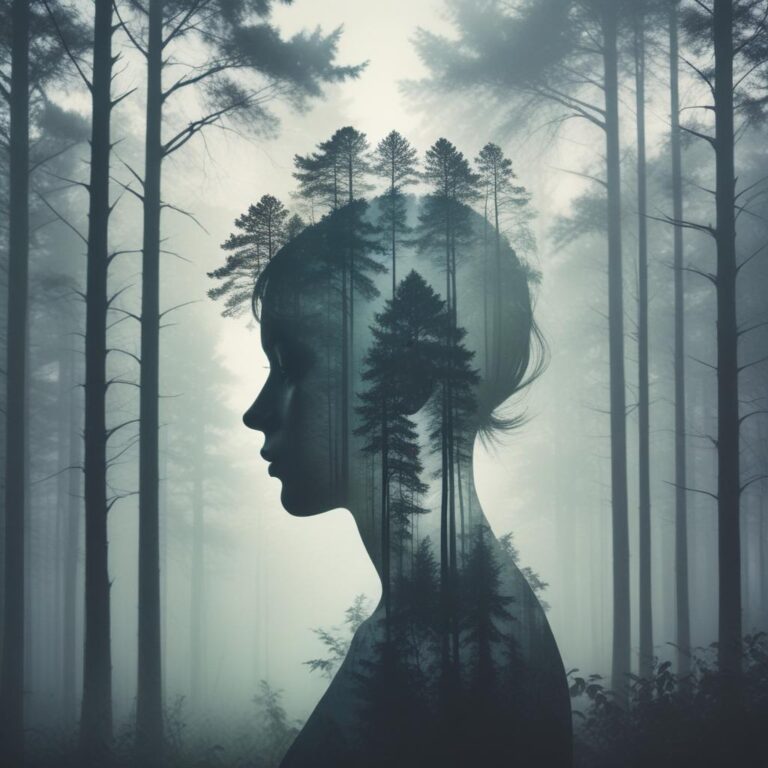
The Blended Edge Collage
This technique makes photos flow into each other naturally, creating a dreamy, connected composition.
- Overlap Your Images: Arrange photos so they overlap significantly in your collage maker.
- Use Eraser Tools: Gently erase the hard edges where photos meet, creating soft transitions.
- Match Colors: Adjust the colors of each photo so they harmonize where they meet.
- Add Depth: Use drop shadows subtly to maintain some separation between layers.
Pro tip: Start with photos that have similar color tones for the most seamless blends.
The Polaroid-Style Collage
Nostalgic and charming, this style makes your collage feel personal and handmade.
- Use Polaroid Frames: Most online editors have Polaroid-style frame options
- Angle Images Randomly: Tilt photos at different angles for that “just pinned to a board” look
- Add Drop Shadows: Make each “photo” look like it’s floating slightly above the background
- Include Handwritten Elements: Use text tools with script fonts to add captions
Essential Online Tools for Collage Creation
You have amazing free options right at your fingertips. Here’s what to look for in online collage makers:
- Drag-and-Drop Interface: The easiest way to position and resize photos exactly where you want them
- Pre-made Templates: Great starting points that you can customize to make your own
- Background Options: Solid colors, patterns, or even your own photos as backgrounds
- Editing Tools: Basic adjustments like brightness, contrast, and filters for consistency
- Text and Sticker Libraries: Fun elements to add personality and context
- Export Quality Options: Ensure you can download high-resolution versions
Online Collage Tools Comparison
Different tools offer different strengths. Here’s which platform might work best for your needs:
| Platform | Best For | Free Features | Learning Curve |
|---|---|---|---|
| Canva | Social media graphics & templates | Extensive template library | Very Easy |
| Fotor | Photo-focused collages | Good editing tools | Easy |
| BeFunky | Creative effects & artsy styles | Fun filters and overlays | Easy |
| Adobe Express | Professional-looking results | Quality templates | Moderate |
| Photopea | Photoshop-like control | Advanced features | Steeper |
Creative Theme Ideas to Try Today
Need inspiration? Here are some popular collage themes that always engage viewers:
- The Story Sequence: Show a process or timeline—baking a cake, a day trip, or a transformation
- The Color Theme: Use photos that share a dominant color for striking visual harmony
- The Central Focus: Place your main subject in the center with supporting images around it
- The Mixed Media Look: Combine photos with drawings, text, and digital elements
- The Minimalist Approach: Use plenty of white space and just 2-3 carefully placed photos
Remember: The best collages have a clear focal point that draws the eye first, then lets it explore the supporting images.
Frequently Asked Questions
What’s the ideal number of photos for a collage?
Between 3-7 photos usually works best. Too few misses the collage effect, too many becomes overwhelming.
Can I create collages on my phone?
Absolutely! Most online tools have mobile-friendly websites or dedicated apps with the same features.
How do I make my collage look cohesive?
Use consistent filters, similar color tones, or a unifying background color to tie everything together.
What resolution should my photos be?
Start with high-quality originals. Most online tools will automatically optimize them for the collage.
Are online collage tools really free?
Most offer substantial free features, with premium options for advanced elements or removing watermarks.
How can I make text look good in my collage?
Use contrasting colors, keep text brief, and consider placing it over simpler areas of your photos.
“A great collage isn’t just multiple photos in one frame—it’s a conversation between images that tells a story bigger than any single picture could.”
The beauty of online collage makers is how quickly you can experiment. Try different layouts, play with filters, and don’t be afraid to break the rules. Some of the most interesting collages come from happy accidents!
Which collage style are you excited to try first? Share your creations or ask questions in the comments—we’d love to see what stories you tell through collage!