Remove Red Eye from Photos Online Free – Instant Photo Fix with Advanced Red Eye Remover Tools
Have you ever taken the perfect family photo, only to discover everyone looks like vampires with glowing red eyes? This frustrating photography problem happens more often than you’d think. The good news is that modern technology makes it super easy to fix this issue without expensive software or technical skills.
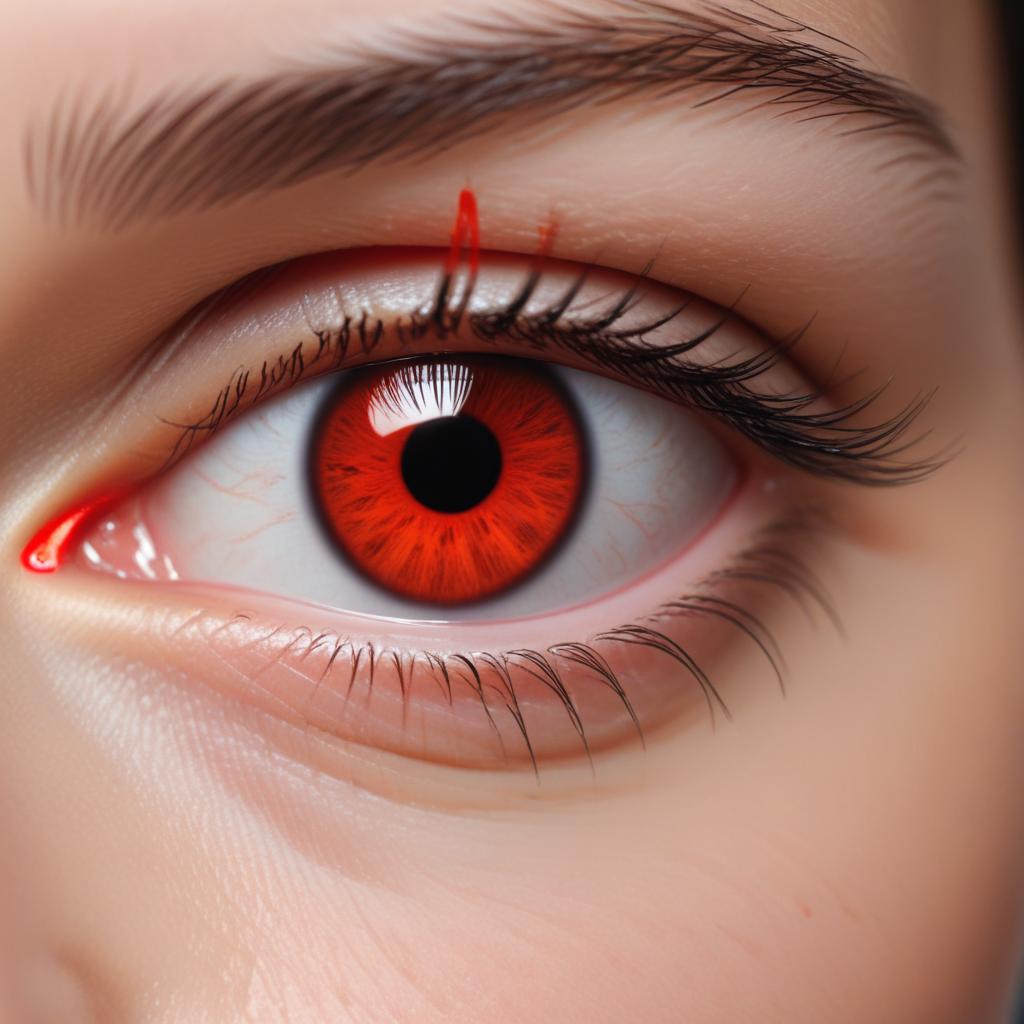
Red eye occurs when camera flash bounces off the blood vessels in your retina, creating that spooky red glow in photos. Fortunately, online red eye remover tools can instantly transform your photos from scary to stunning. These free web-based solutions use smart technology to detect and correct red eyes automatically, giving you professional-quality results in just seconds. Whether you’re dealing with family portraits, party pictures, or important event photos, removing red eyes has never been simpler or more accessible.
What Causes Red Eye in Photos?
Understanding why red eye happens can help you prevent it in future photos and appreciate why correction tools work so well.
The Science Behind Red Eyes
When you take a photo with flash in dim lighting, the camera’s bright light travels through your pupil and hits the retina at the back of your eye. Your retina contains lots of tiny blood vessels, and when the flash reflects off these vessels, it creates that distinctive red glow.
This problem is worse in dark environments because your pupils are naturally wider, allowing more light to enter and reflect back. Children and people with light-colored eyes often show more pronounced red eye effects because their pupils tend to be larger and their irises reflect light differently.
Common Situations That Cause Red Eye
Several photography situations increase your chances of getting red eyes:
- Indoor party photos with direct camera flash
- Evening or nighttime photography where flash is necessary
- Close-up portraits taken in low-light conditions
- Group photos where people are looking directly at the camera
- Pet photography (though animals often get green or yellow eye reflection instead of red)
How to Fix Red Eyes Online: Step-by-Step Guide
Modern photo red eye correction tools make the repair process incredibly straightforward. Here’s how most online editors work:
Choosing the Right Online Tool
When selecting a red eye remover service, look for these important features:
- Automatic detection – The best tools find red eyes without manual selection
- Batch processing – Fix multiple photos at once to save time
- High-quality output – Maintain original photo resolution and clarity
- User-friendly interface – Simple drag-and-drop functionality
- Privacy protection – Secure handling of your personal photos
The Basic Red Eye Removal Process
Most online tools follow this simple workflow:
- Upload your photo to the web editor
- Wait for automatic detection of red eye areas
- Review the suggested corrections before applying
- Download your fixed photo in the original quality
Pro Tip: Always save your original photo before making any edits. This way, you can try different correction methods if the first attempt doesn’t look perfect.
Advanced Correction Options
Some sophisticated online editors offer additional controls:
- Intensity adjustment – Control how much red color gets removed
- Eye color replacement – Choose natural eye colors like brown, blue, or green
- Manual selection tools – Mark specific areas that need correction
- Zoom functionality – Get precise control over small details
Best Free Online Red Eye Correction Tools
| Tool Name | Automatic Detection | Batch Processing | Mobile Friendly | Special Features |
|---|---|---|---|---|
| Photo-Editor.Shop | ✅ Yes | ✅ Yes | ✅ Yes | AI-powered detection, instant results |
| Quick Fix Editor | ✅ Yes | ❌ No | ✅ Yes | Simple interface, fast processing |
| Eye Color Corrector | ✅ Yes | ✅ Yes | ❌ Limited | Multiple eye color options |
| Flash Fix Tool | ⚠️ Semi-auto | ❌ No | ✅ Yes | Manual fine-tuning available |
| Red Eye Remover Pro | ✅ Yes | ✅ Yes | ✅ Yes | Professional-grade results |
Why Photo-Editor.Shop Stands Out
Among the various options available, Photo-Editor.Shop offers several advantages for red eye effect removal:
- Lightning-fast processing that handles corrections in under 10 seconds
- Smart AI technology that distinguishes between red eyes and other red objects in photos
- Batch upload capability for fixing entire photo albums at once
- Mobile-optimized interface that works perfectly on phones and tablets
- No registration required – start fixing photos immediately
Professional Tips for Better Red Eye Correction
Prevention is Better Than Correction
While online tools make fixing red eyes easy, preventing them in the first place saves time:
- Use indirect lighting when possible instead of direct flash
- Turn on more room lights to reduce pupil size naturally
- Use red-eye reduction mode on your camera if available
- Take photos from slightly different angles to change light reflection
- Ask subjects to look slightly away from the camera lens
When to Use Manual vs Automatic Correction
Automatic correction works best when:
- Photos have clear, obvious red eyes
- The red areas are well-defined and bright
- You’re processing many similar photos quickly
Manual correction is better for:
- Subtle red eye effects that automatic tools might miss
- Complex lighting situations with multiple reflection sources
- Artistic photos where you want specific creative control
Maintaining Photo Quality During Correction
To ensure your corrected photos look natural and professional:
- Start with high-resolution originals whenever possible
- Avoid over-correcting which can make eyes look unnaturally dark
- Check the results on different devices to ensure consistent appearance
- Save corrected photos in high-quality formats like PNG or high-quality JPEG
Common Red Eye Correction Mistakes to Avoid
Over-Processing Photos
One of the biggest mistakes people make is applying too much correction. This can result in:
- Eyes that look completely black instead of natural
- Uneven color distribution within the eye area
- Loss of natural eye detail and texture
- Obvious signs of digital manipulation
Ignoring Lighting Consistency
When you fix red eyes online, make sure the corrected eye color matches the lighting conditions in your photo. A bright blue eye might look strange in a dimly lit indoor photo where darker colors would appear more natural.
Not Checking All Eyes in Group Photos
In group photos, people at different distances from the flash may have varying degrees of red eye. Make sure to check every person in the photo, including those in the background who might have subtler red eye effects.
Advanced Eye Color Fix Techniques
Matching Natural Eye Colors
Modern eye color fix tools can do more than just remove red. They can:
- Replace red with natural eye colors based on the person’s actual eye color
- Adjust color intensity to match lighting conditions
- Preserve natural eye highlights and reflections
- Maintain realistic pupil size and shape
Working with Different Eye Colors
Different natural eye colors require different correction approaches:
- Brown eyes: Usually need warm, natural brown tones
- Blue eyes: Require careful attention to maintain realistic blue shades
- Green eyes: Often need subtle adjustments to preserve the unique green tint
- Hazel eyes: May need custom color blending for realistic results
Mobile Photography and Red Eye Issues
Smartphone Camera Challenges
Modern smartphone cameras have improved significantly, but they still face red eye challenges:
- LED flash positioning creates different reflection angles than traditional cameras
- Automatic settings may not always prevent red eye effectively
- Portrait mode complications can sometimes interfere with red eye reduction features
Mobile-Friendly Correction Solutions
The best online red eye correction tools now offer:
- Touch-optimized interfaces designed for smartphone screens
- Fast mobile processing that works well on cellular connections
- App-like functionality without requiring downloads
- Easy sharing options directly to social media platforms
FAQ Section
How long does it take to remove red eyes from photos online?
Most modern online tools can remove red eye effect in just 5-10 seconds per photo. The exact time depends on your internet connection speed and the photo file size. Batch processing tools can handle multiple photos simultaneously, making large collections even faster to process.
Will online red eye removal tools reduce my photo quality?
High-quality online editors maintain your original photo resolution and clarity. However, always choose reputable tools that specify they preserve image quality. Avoid tools that compress your photos heavily or don’t offer high-resolution downloads.
Can I fix red eyes in very old or low-quality photos?
Yes, but results may vary. Red eye remover tools work best on clear, well-defined red areas. Very pixelated or blurry photos might need manual correction or may not achieve perfect results. The automatic detection might struggle with unclear eye boundaries.
Is it safe to upload personal photos to online correction tools?
Reputable online photo editors use secure connections and don’t store your photos permanently. Look for tools that mention privacy protection and automatic photo deletion after processing. Photo-Editor.Shop, for example, processes photos securely and removes them from servers immediately after download.
What’s the difference between red eye correction and general photo editing?
Photo red eye correction is a specialized process that specifically targets red reflections in eyes and replaces them with natural colors. General photo editing might include brightness, contrast, or color adjustments but doesn’t have the specific algorithms needed for realistic eye correction.
Can online tools fix green or yellow eyes in pet photos?
Many advanced online editors can handle various types of eye reflections, including the green or yellow “tapetum lucidum” effect common in pet photography. Look for tools that offer multiple eye color options or manual color selection capabilities.
Do I need to create an account to use red eye removal tools?
Many free online tools, including Photo-Editor.Shop, allow you to start fixing red eyes online immediately without registration. However, creating an account might offer benefits like batch processing, photo history, or premium features.
How many photos can I process at once?
This varies by tool. Some allow single photo processing only, while others offer batch uploads of 10, 20, or even more photos simultaneously. Batch processing is particularly useful for event photographers or anyone dealing with large photo collections.