10 AI Photo Editing Tools That Will Blow Your Mind in 2025
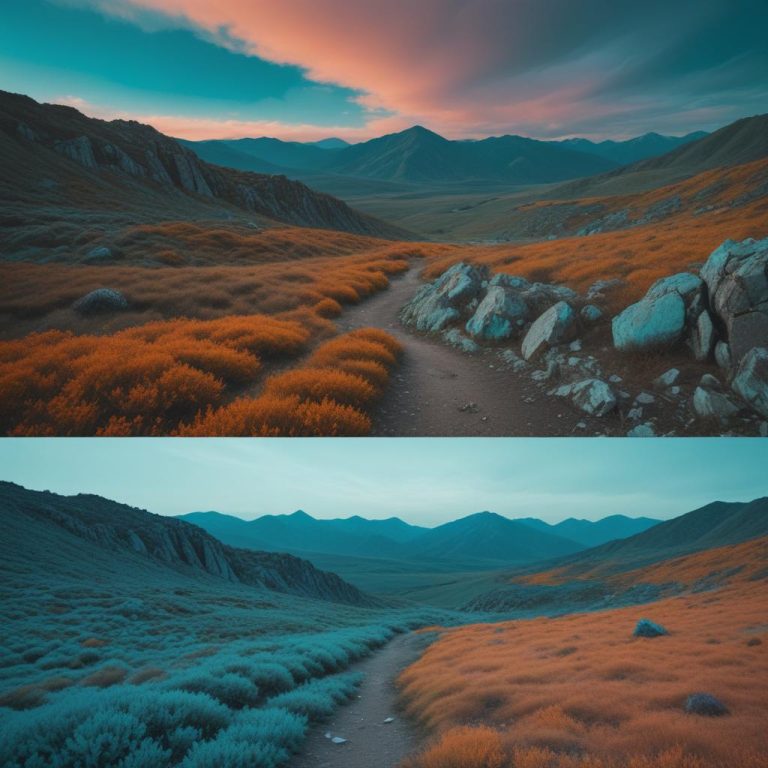
Ever taken a photo you loved, only to find it looked a bit dark and dull when you looked closer?
We’ve all been there. You snap what you think is the perfect picture, but when you review it later, something just feels off. Maybe the lighting isn’t quite right, or there’s an annoying telephone wire cutting across your beautiful sunset. The good news? You don’t need to spend years mastering complicated software anymore. AI photo editing tools have completely changed the game, making professional-quality edits accessible to everyone.
In this guide, I’ll walk you through 10 incredible AI-powered photo editors that can transform your images with just a few clicks. Whether you’re a hobbyist photographer, a social media manager, or someone who just wants their vacation photos to look amazing, there’s something here for you.
Understanding AI Photo Editing: What Makes It Special?
Traditional photo editing required you to manually adjust dozens of sliders and settings. You’d need to understand concepts like curves, layers, and color grading before you could make your photos look professional. But AI photo editing is different.
These smart tools use machine learning algorithms trained on millions of images. They can automatically detect faces, remove backgrounds, enhance details, and fix lighting issues—all without you needing to know the technical details. It’s like having a professional photographer’s assistant built right into your app.
The technology works by analyzing your image and understanding what’s in it. Is it a portrait? A landscape? A product photo? Once the AI knows what it’s looking at, it applies the best enhancements automatically. Pretty cool, right?
How AI Photo Editors Save You Time
Here’s where things get really interesting. What used to take hours in traditional software now takes seconds. Need to remove a distracting background? One click. Want to upscale a low-resolution image to print quality? Done in moments. The AI handles the complex calculations while you focus on being creative.
The Top 10 AI Photo Editing Tools You Need to Know About
1. Adobe Photoshop (with AI Features)
Adobe has been the industry standard for decades, and they’ve gone all-in on AI. The latest version includes Generative Fill and Generative Expand—features that can literally create new parts of your image based on text descriptions.
Want to extend your photo’s canvas and have AI fill in what should naturally be there? Generative Expand does exactly that. Need to remove an object and have the background seamlessly fill in? The Generative Remove tool handles it beautifully.
Best for: Professional photographers, graphic designers, and anyone needing advanced control.
Difficulty Level: Medium to Advanced
Pricing: Starts at around $21 per month (part of Creative Cloud subscription)
The learning curve can be steep, but the power you get is unmatched.
2. Luminar Neo
Luminar Neo is often called the ultimate AI-powered photo editing tool, featuring a sleek interface packed with more than 25 AI capabilities that simplify complex edits. This software really shines for photography enthusiasts who want professional results without the complexity.
Key features include:
- Sky AI – Replace boring skies with 35+ stunning presets
- Object Removal AI – Erase unwanted elements with one click
- Relight AI – Adjust lighting in specific areas of your photo
- Face AI & Skin AI – Natural-looking portrait retouching
- Sunrays Tool – Add dramatic light rays to your scenes
One photographer described the Sunrays tool as “simply magical”—you can move the sun around your scene and watch the rays spill through naturally.
Best for: Hobbyist photographers and enthusiasts
Difficulty Level: Easy to Medium
Pricing: One-time purchase option available (unlike Adobe’s subscription model)
3. Topaz Photo AI
Topaz Photo AI combines DeNoise AI, Gigapixel AI, and Sharpen AI capabilities into one powerful integrated platform, making it a powerhouse for image quality enhancement.
This tool excels at:
- Upscaling images up to 16x their original size
- Noise reduction for photos taken in low light
- Sharpening to recover lost details from blur or distance
- Face restoration for old or damaged photos
The Autopilot feature automatically analyzes your image and applies the best settings. You can then fine-tune from that starting point, which saves tons of time.
Best for: Professional photographers who need high-fidelity results
Difficulty Level: Medium
Pricing: Starting at $199 for a lifetime license (subscription also available)
Always work on a copy of your original photo to avoid losing it.
4. Fotor AI Photo Editor
Fotor serves as a powerful AI-driven photo editor known for its intelligence, creativity, efficiency, and rich feature set. It provides professional basic editing functions while utilizing AI technology to launch unique trendy features.
Notable features:
- Text-to-image generator – Create images from descriptions
- AI face swapping – Fun effects for creative projects
- AI photo enhancer – One-tap improvements
- Background remover – Clean product photos in seconds
The interface is beginner-friendly, with clearly labeled sections that make navigation simple. Even if you’ve never edited a photo before, Fotor makes the process feel natural.
Best for: Beginners and social media content creators
Difficulty Level: Easy
Pricing: Free tier available; paid plans for advanced features
5. Remini Photo Enhancer
Remini specializes in restoring old, degraded photos by using advanced AI algorithms to improve image clarity, reduce noise, and enhance faded colors. This app is particularly brilliant for bringing old family photos back to life.
What makes Remini special:
- Portrait-focused enhancement – Stellar facial detail improvements
- Mobile-first design – Edit anywhere on your smartphone
- Quick processing – Real-time enhancements
- Video enhancement – Transform low-quality videos to high-quality
The app excels at facial enhancements and makes portraits look naturally polished. It’s perfect for updating your social media profile with that old photo you love.
Best for: Casual users and mobile photographers
Difficulty Level: Very Easy
Pricing: Free with ads; Pro plans starting at $6.99/week
6. Canva Magic Studio
Canva isn’t just for graphic design anymore. Canva’s Magic Studio offers powerful AI features including Magic Resize, Magic Expand, Magic Grab, Magic Edit, Background Remover, and Magic Morph, making editing faster and easier.
Canva’s strengths:
- Face retouch tool – One-tap smoothing and enhancement
- Text-to-image – Generate illustrations from descriptions
- Templates – Thousands of pre-designed layouts
- Team collaboration – Work with others in real-time
Even free users can export designs without watermarks, which is rare among photo editors. The 14-day free trial lets you test all premium features risk-free.
Best for: Small business owners and social media managers
Difficulty Level: Very Easy
Pricing: Free tier available; Pro from $12.99/month
7. Photoroom
Photoroom functions as an AI photo editor designed to help users create professional-looking images quickly and easily, widely used by e-commerce sellers, small business owners, and influencers.
This app specializes in:
- Instant background removal – Clean cutouts in seconds
- Product photo templates – Professional layouts ready to use
- Batch editing – Process multiple images at once
- Shadow generation – Realistic shadows for product shots
The magic here is how fast you can create professional product photos. Upload your item, and Photoroom automatically removes the background and can place it on various professional backgrounds.
Best for: E-commerce sellers and online business owners
Difficulty Level: Easy
Pricing: Free version available; premium features from $9.99/month
8. Adobe Lightroom
While Photoshop gets more attention, Lightroom is the photographer’s secret weapon. Lightroom’s AI Masking in the Select People tool can identify faces, eyes, lips, hair, clothing, and backgrounds separately, allowing targeted retouching in minutes.
Lightroom’s AI features include:
- Adaptive Presets – Copy edits that adapt to different photos
- Generative Remove – One-click content-aware erasing
- Auto-enhance – Intelligent adjustments for exposure and color
- Mobile-to-desktop workflow – Seamless syncing across devices
The June 2025 update brought even more generative-AI tools, making this an incredibly powerful yet user-friendly option for photographers on the go.
Best for: Photographers managing large photo libraries
Difficulty Level: Easy to Medium
Pricing: Part of Creative Cloud Photography Plan ($9.99/month)
9. Meitu AI Photo Editor
Meitu stands out with medical-grade portrait enhancement capabilities incorporating sophisticated AI technology for real-time filters and artistic effects. The app maintains a user-friendly interface while delivering professional results.
Key capabilities:
- AI Cutout – Precise background removal in three seconds
- AI Portrait – Enhanced facial features with subtle effects
- Image to Image – Transform photos into different artistic styles
- AI Extender – Expand canvas seamlessly for panoramic effects
The medical-grade enhancement technology means your portraits look naturally improved rather than over-processed. It’s ideal for creating memorable images for social media.
Best for: Portrait photographers and selfie enthusiasts
Difficulty Level: Easy
Pricing: Free with in-app purchases available
10. Pixlr
Pixlr stands out as a versatile AI photo editor offering background removal, image upscaling, noise reduction, plus unique tools like AI face swapping and Generative Fill.
Pixlr offers:
- Browser-based editing – No download required
- Templates – Ready-made designs for Instagram and YouTube
- AI face swapping – Creative and fun effects
- Prompt-based Generative Fill – Fill areas with AI-generated content
The simple user interface makes it perfect for quick edits when you don’t have access to desktop software. Everything runs in your web browser, so you can edit from any device.
Best for: Social media content creators needing quick edits
Difficulty Level: Easy
Pricing: Free version available; Premium from $4.90/month
Comparing the Tools: Which One Is Right for You?
| Tool | Best For | Difficulty Level | Cost Range |
|---|---|---|---|
| Adobe Photoshop | Professional editing with full control | Advanced | $21+/month |
| Luminar Neo | Enthusiast photographers | Easy-Medium | $199 one-time |
| Topaz Photo AI | Image quality restoration | Medium | $199+ one-time |
| Fotor | Beginners and quick edits | Easy | Free-$10/month |
| Remini | Mobile photo restoration | Very Easy | Free-$7/week |
| Canva Magic Studio | Design and social media | Very Easy | Free-$13/month |
| Photoroom | E-commerce product photos | Easy | Free-$10/month |
| Adobe Lightroom | Photo library management | Easy-Medium | $10/month |
| Meitu | Portrait enhancement | Easy | Free with IAP |
| Pixlr | Browser-based quick edits | Easy | Free-$5/month |
“The best photo edits are the ones you don’t even notice; they simply make the image feel more real and vibrant.”
AI Photo Editing Tools: User Satisfaction Ratings (2025)
Based on user reviews, ease of use, and feature richness
Real-World Applications: When to Use Each Tool
For Portraits and Selfies
Remini and Meitu are your best bets. They excel at facial enhancement and skin retouching, making portraits look polished without appearing over-edited.
For Product Photography
Photoroom is specifically designed for this. The instant background removal and professional templates mean you can create catalog-worthy product shots in minutes.
For Landscape Photography
Luminar Neo’s Sky AI and atmospheric effects make landscapes pop. The ability to replace skies and add sun rays creates dramatic, eye-catching results.
For Restoring Old Photos
Topaz Photo AI or Remini both handle restoration beautifully. They can bring clarity to decades-old photos and even add color to black-and-white images.
For Social Media Content
Canva and Pixlr win here. Both offer templates specifically sized for Instagram, Facebook, and other platforms, plus quick-edit features perfect for maintaining a consistent feed aesthetic.
Tips for Getting the Best Results
Start with good lighting when taking your photos—AI can enhance but can’t completely fix terrible lighting.
Use the histogram tool (found in most advanced editors) to check if your photo is properly exposed before making major adjustments.
Don’t over-process. Subtle edits almost always look better than heavy-handed ones. The goal is to enhance your photo, not transform it into something unrecognizable.
Try batch processing when you have multiple similar photos. Most tools let you apply the same edits to multiple images, saving massive amounts of time.
Experiment with different tools for different tasks. You don’t need just one photo editor—many photographers use Lightroom for organizing and basic edits, then jump into Photoshop or Luminar for specific creative enhancements.
Common Mistakes to Avoid
Over-sharpening: Adding too much sharpness makes photos look artificial and creates ugly halos around edges. Apply sharpening gradually and zoom in to check the results.
Ignoring white balance: Color temperature dramatically affects mood. Cool tones (blue) feel calm, while warm tones (orange) feel cozy. Make sure your white balance matches your intended mood.
Excessive saturation: Cranking up the saturation slider is tempting, but it quickly makes photos look cartoonish. Boost saturation conservatively, or try vibrance instead—it’s more subtle.
Forgetting to save originals: Always keep your unedited photos. You never know when you’ll want to start fresh with different edits.
Not learning the basics: While AI does the heavy lifting, understanding fundamental concepts like exposure, contrast, and color theory will help you guide the AI toward better results.
Frequently Asked Questions
What’s the difference between brightness and exposure? Brightness adjusts all tones equally, making everything lighter or darker. Exposure specifically adjusts the mid-tones and has a more natural effect, similar to changing camera settings when shooting.
Can I use these AI tools for free? Many offer free versions with limitations. Fotor, Canva, Pixlr, and Remini all have free tiers that are quite capable for basic editing.
How do I remove backgrounds quickly? Tools like Photoroom and Remini specialize in this. Upload your image, and the AI automatically detects and removes the background in seconds.
Will AI photo editing replace professional photographers? Not at all. AI handles technical improvements, but creative vision, composition, and knowing how to capture the right moment still require human skill.
Do these tools work on smartphones? Yes! Remini, Meitu, and Canva have excellent mobile apps. Even Lightroom and Photoshop offer mobile versions with AI features.
What format should I save my edited photos in? For printing or further editing, use TIFF or PNG to avoid quality loss. For sharing online, JPEG works well at 80-90% quality.
Can AI fix blurry photos? Tools like Topaz Photo AI and Remini can sharpen slightly blurry images, but they can’t completely fix severe blur or motion blur. The best approach is still capturing sharp photos initially.
The Future of AI Photo Editing
The technology keeps getting better. We’re seeing AI that can understand context and make intelligent creative decisions. Future developments might include:
- Real-time AI editing during photo capture
- Style transfer that applies famous artists’ techniques to your photos
- 3D depth mapping for more realistic lighting adjustments
- Voice-controlled editing where you describe changes verbally
The line between AI image generators and photo editors is blurring too. Soon, you might be able to describe desired changes in plain English and watch the AI make them happen.
Making Your Choice
The right tool depends on your needs. If you’re just starting out, begin with free options like Fotor or Canva. They’ll teach you the basics without financial commitment.
Serious hobbyists should consider Luminar Neo or Lightroom. Both offer professional-quality results with manageable learning curves.
Professionals working with clients need the power and precision of Adobe Photoshop or Topaz Photo AI, despite the steeper learning curve and higher cost.
E-commerce sellers can’t go wrong with Photoroom—it’s specifically designed for product photography and saves incredible amounts of time.
Ready to Transform Your Photos?
The world of AI photo editing is more accessible than ever. You don’t need expensive equipment or years of training to create stunning images. These tools put professional-quality results in everyone’s hands.
Start with one tool that matches your primary need, explore its features, and gradually expand your toolkit as you discover what works best for your style.
What’s your biggest challenge when editing photos? Share your thoughts in the comments below! And if you’ve tried any of these tools, I’d love to hear about your experience.
Remember: The best camera is the one you have with you, and the best photo editor is the one you’ll actually use. Don’t get overwhelmed by features—pick a tool, start editing, and have fun bringing your creative vision to life.
References:
- Adobe Creative Cloud Documentation: https://helpx.adobe.com/photoshop/
- Skylum Luminar Neo Official Site: https://skylum.com/luminar
- Topaz Labs Official Documentation: https://topazlabs.com
- Fotor AI Features Guide: https://www.fotor.com
- Canva Help Center: https://www.canva.com/help