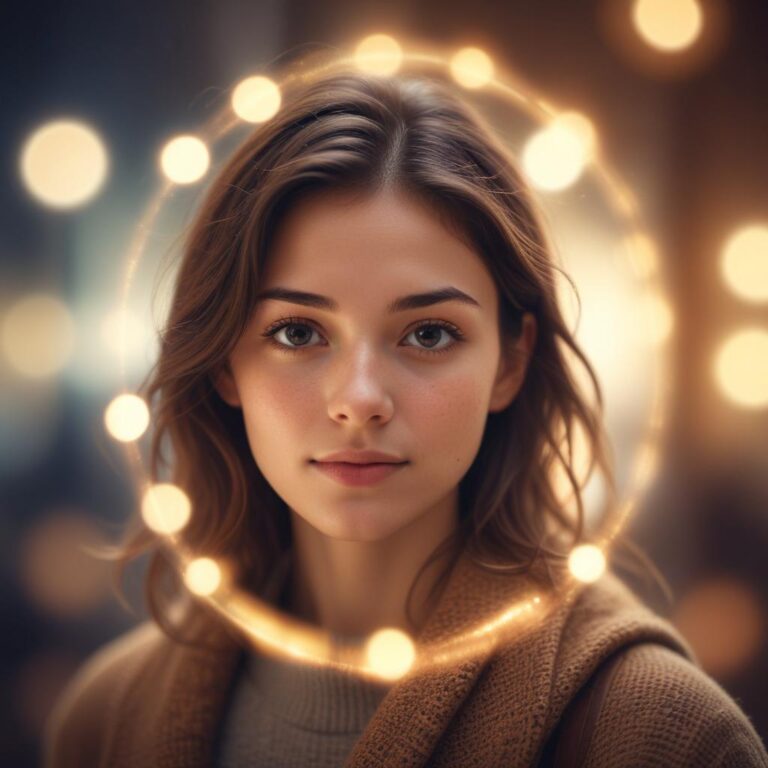
Apply Retro and VHS Effects to Photos Online
Remember flipping through old family albums and finding those perfectly imperfect photos from the 80s and 90s? The ones with faded colors, grainy textures, and that unmistakable vintage charm? Today’s crystal-clear digital photos are amazing, but sometimes we crave that nostalgic, dreamy look that only comes from analog photography and old video cameras.
Creating authentic retro and VHS effects online involves combining specific visual elements: adjusting color temperature toward warm oranges and cool cyans, adding film grain and noise, reducing sharpness for a soft dreamy look, incorporating light leaks and vintage borders, and applying the signature scan lines and glitch effects that made VHS tapes so distinctive.
What Makes Photos Look Retro?
The Science Behind Vintage Appeal
Old photos look different because of the technology that created them. Film cameras captured light differently than modern digital sensors. VHS tapes recorded video with analog signals that created unique visual artifacts. Understanding these differences helps us recreate them digitally.
Key vintage characteristics:
- Warmer, less saturated colors
- Visible grain and texture
- Softer focus and reduced sharpness
- Light leaks and lens flares
- Faded edges and borders
Color Palettes That Scream Retro
The 70s, 80s, and 90s each had distinct color styles. The 70s loved earth tones – browns, oranges, and muted greens. The 80s went wild with neon pinks, electric blues, and bright magentas. The 90s mixed it up with teal and orange combinations that Instagram filters still copy today.
“The most convincing vintage effect isn’t about adding one filter – it’s about layering multiple subtle changes that work together.” – Digital artist quote
VHS Effects That Actually Work
Understanding VHS Aesthetics
VHS tapes created a unique look because of how they stored and played back video. The magnetic tape degraded over time, creating glitches, color bleeding, and tracking errors. These “flaws” are now considered artistic features.
Classic VHS elements:
- Horizontal scan lines across the image
- Color bleeding and chromatic aberration
- Static noise and digital glitches
- Tracking errors that create wavy distortions
- Date stamps in corner fonts
Scan Lines: The VHS Signature
Scan lines are those thin horizontal lines that run across old TV screens and VHS footage. They’re probably the most recognizable VHS effect. The trick is making them subtle enough to look authentic, not like you just drew lines across your photo.
Most online editors let you adjust scan line intensity and spacing. Start light and build up until it looks right.
Glitch Effects Done Right
Random digital glitches can make or break your VHS effect. Real VHS glitches happened in specific ways – usually as horizontal bands of displaced pixels or color shifts. Avoid glitch effects that look too modern or computer-generated.
Best Online Tools for Retro Effects
Free Platforms That Deliver
Photopea works like Photoshop but runs in your browser for free. It handles complex retro effects and gives you full control over every detail. The learning curve is steeper, but the results are worth it.
Canva offers preset vintage filters that work great for social media posts. While less customizable, they’re quick and easy to apply. Perfect when you need fast results.
GIMP Online provides professional-level editing without downloading software. It excels at creating custom grain patterns and color adjustments.
Specialized Retro Effect Sites
Retro Supply offers web-based tools specifically designed for vintage effects. Their film grain libraries and light leak collections look incredibly authentic.
VHS Camcorder simulates the exact look of different vintage video cameras. You can even choose specific camera models to match your desired aesthetic.
Mobile Apps Worth Trying
VSCO built its reputation on film emulation. Their vintage film stocks like Kodak Portra and Fuji Pro create believable analog looks.
Huji Cam mimics disposable cameras from the 90s. It automatically adds light leaks, grain, and date stamps for that authentic throwback feel.
Step-by-Step Retro Transformation
Starting with Color Grading
Color grading sets the foundation for your retro effect. Begin by warming up your image slightly – move the temperature slider toward yellow. Then reduce saturation by about 15-20% to get that faded film look.
Color adjustment sequence:
- Increase warmth (move toward yellow/orange)
- Reduce overall saturation
- Add a slight magenta tint to highlights
- Push shadows toward cyan or blue
- Lower contrast for that soft, dreamy feel
Adding Authentic Grain
Real film grain varies across different film stocks and shooting conditions. High-speed films had larger, more visible grain. Slow films showed finer grain patterns.
The key is matching your grain size to your intended film type. Polaroid instant photos had chunky, irregular grain. 35mm film showed medium-sized grain. Medium format film displayed very fine grain.
Creating Light Leaks
Light leaks happen when extra light hits film through camera seals or when opening the camera back too early. They typically appear as warm, orange or yellow streaks along the edges of photos.
Realistic light leak placement:
- Usually along edges, especially corners
- Warm colors (orange, yellow, red)
- Soft, gradient appearance
- Irregular shapes, not perfect circles
Matching Different Decades
1970s Aesthetic Elements
The 70s had a distinct earthy, natural look. Photos from this era often showed:
- Warm, golden color tones
- High contrast with deep shadows
- Visible film grain from high-speed films
- Rounded corners from instant cameras
- Natural lighting with lots of lens flares
1980s Visual Style
The 80s embraced bold colors and high contrast. Typical elements included:
- Neon color palettes
- High saturation and contrast
- Sharp focus with dramatic lighting
- Geometric borders and frames
- Flash photography with harsh shadows
1990s Characteristics
The 90s mixed professional and amateur photography styles:
- Cooler color temperatures
- Teal and orange color combinations
- Disposable camera aesthetics
- Date stamps and automatic flash
- Softer, more natural lighting
Advanced Techniques for Realism
Layering Multiple Effects
Professional-looking retro effects combine several subtle changes rather than one dramatic filter. Think about building your effect in layers:
Base layer: Color grading and temperature adjustment Texture layer: Film grain or noise Lighting layer: Light leaks and vignettes Detail layer: Sharpness reduction and blur Final layer: Borders, scan lines, or date stamps
Understanding Film Emulation
Different film stocks had unique characteristics. Kodak films tended toward warm, saturated colors. Fuji films showed cooler tones with distinctive color separation. Polaroid had its own special look with soft colors and heavy grain.
Research specific film stocks to create more authentic effects. Many online tools offer presets based on real film types.
Custom Grain Creation
Instead of using default grain patterns, create custom textures that match your chosen era. Scan actual film or paper textures, then blend them into your photos using overlay or soft light blending modes.
Common Mistakes to Avoid
Overdoing the Effects
The biggest mistake is applying effects too heavily. Real vintage photos had subtle imperfections, not obvious digital manipulation. Start with small adjustments and build up gradually.
Ignoring Color Theory
Random color shifts look fake. Study actual vintage photos to understand how colors changed over time. Film stocks had predictable color biases that you should replicate.
Using Modern Elements
Nothing breaks vintage immersion like modern elements. Check for:
- LED lights (use warm tungsten instead)
- Modern clothing or technology
- Perfect digital sharpness
- Unrealistic color saturation
Wrong Aspect Ratios
Different eras used different photo formats. Polaroids were square. 35mm film was rectangular. VHS was 4:3 ratio. Match your format to your intended time period.
Quick Reference Guide
| Effect Type | What It Creates | Best Tools | Key Settings |
|---|---|---|---|
| Color Temperature | Warm/cool mood | Any editor | +100 to +300 warmth |
| Film Grain | Texture and authenticity | Photopea, GIMP | 15-30% opacity overlay |
| Light Leaks | Organic imperfections | Canva, Retro Supply | Warm colors, edge placement |
| Scan Lines | VHS video look | VHS Camcorder | 2-4 pixel spacing |
| Vignetting | Focus and mood | Built-in tools | Subtle darkness at edges |
| Blur | Soft film quality | Gaussian blur | 0.5-1.5 pixel radius |
| Desaturation | Faded colors | Color adjustments | -15 to -25% saturation |
| Contrast | Film characteristics | Curves or levels | Slight S-curve shape |
Creating Consistent Vintage Collections
Developing Your Signature Style
Pick specific settings that work well together and stick with them across multiple photos. This creates a cohesive vintage aesthetic for your social media or portfolio.
Style elements to standardize:
- Color temperature range
- Grain intensity and type
- Vignette strength
- Contrast levels
- Border styles
Batch Processing Tips
Most online editors allow you to save your settings as presets. Create custom presets for different vintage styles, then apply them to multiple photos quickly.
Testing Different Combinations
Try mixing effects from different decades. Sometimes combining 70s color grading with 90s grain creates unique, appealing results.
Saving and Sharing Your Creations
File Quality Considerations
When saving retro-effect photos, consider your final use. Social media platforms compress images, which can affect grain and subtle textures. Save at higher quality settings to maintain effect visibility after compression.
Format Selection
JPEG works fine for most vintage effects and keeps file sizes manageable. PNG preserves more detail but creates larger files. Choose based on where you’ll share or print your photos.
Print Preparation
If you plan to print your retro photos, test print small samples first. Some effects look different on paper than on screen. Adjust accordingly before printing final versions.
FAQ Section
Q: Which online tool gives the most realistic vintage effects? A: Photopea offers the most control for creating authentic effects, while VSCO provides excellent film emulation presets that require less manual work.
Q: How can I make VHS effects look authentic instead of cheesy? A: Keep scan lines subtle, use realistic glitch patterns, and don’t oversaturate colors. Real VHS footage was often quite muted compared to modern digital video.
Q: What’s the difference between film grain and digital noise? A: Film grain has organic, irregular patterns that vary with light levels. Digital noise is more uniform and electronic-looking. Always choose film grain options when available.
Q: Can I apply vintage effects to modern smartphone photos? A: Absolutely! Modern photos often work better because they start with higher quality. The key is reducing that digital perfection to create believable analog imperfections.
Q: How do I know if I’m using too much effect? A: Step away from your screen for a few minutes, then look at your photo again. If the effect is the first thing you notice instead of the actual photo content, dial it back.
Q: Should I apply effects before or after basic edits like cropping? A: Do basic edits first (cropping, straightening, exposure correction), then apply vintage effects. This workflow prevents you from accidentally cropping out important effect elements.
Q: What’s the best way to learn about different film stocks? A: Look up film photography communities online, browse vintage photo collections, and study the work of famous film photographers from different decades.
Q: Can I combine multiple vintage styles in one photo? A: Yes, but be careful. Mixing elements from different decades can work artistically, but avoid combining conflicting technical characteristics (like 70s grain with 90s color palettes).
The magic of retro photo effects lies in restraint and authenticity. Focus on understanding what made vintage photography special, then recreate those qualities thoughtfully rather than just slapping filters onto modern photos. Your images will capture that nostalgic feeling while still looking intentional and artistic.