AI Photo Colorization: Add Color to Black and White Photos
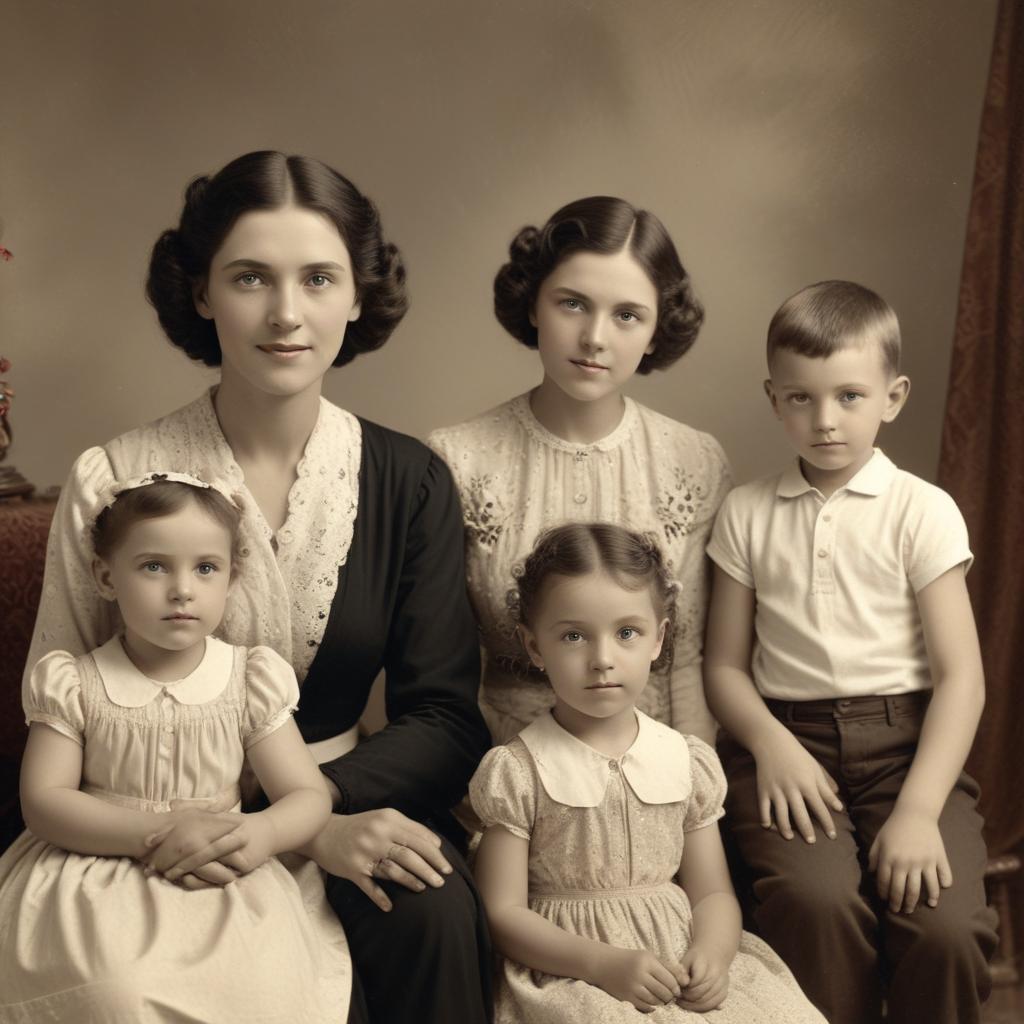
Have you ever looked at an old black and white family photo and wondered, “What colors were they actually wearing?”
That quiet curiosity is something we all feel. For decades, adding color to these memories was a painstaking art, requiring a skilled hand and hours of work. But now, with the magic of AI photo colorization, anyone can breathe vibrant, realistic life into monochrome memories in minutes. This guide will show you exactly how.
What is AI Colorization and How Does It Work?
In the past, colorizing photos was like a very careful paint-by-numbers. Today, AI does something much smarter. Think of AI as a super-observant student that has studied millions of pairs of images—one black and white, and one in color. It has learned the most likely colors for everything.
The “Brain” Behind the Color
The AI doesn’t just guess. It makes incredibly informed predictions based on patterns.
- It understands materials: It knows that leather is usually brown, gold is yellow, and grass is green.
- It recognizes context: A tree in a summer park? Green leaves. That same tree in an autumn scene? Reds and oranges.
- It analyzes light and shadow: It adds darker, richer colors in the shadows and lighter, brighter ones in the highlights, making the result look three-dimensional.
“Colorization isn’t about making something new; it’s about revealing a layer of reality that was always there, just waiting to be seen.”
From Flat to Fantastic: What AI Can Actually Do
The results can be stunningly personal. Here’s what modern tools can achieve.
1. Bringing People and Portraits to Life
This is often the most emotional use. You can see your ancestors in a whole new light.
- Skin Tones: AI adds realistic, varied skin tones—not just one peach color for everyone.
- Hair and Eyes: It gives depth to hair color and can even make brown or blue eyes sparkle.
- Clothing Details: That patterned dress or military uniform gets colors that look historically believable.
2. Revitalizing Historical Scenes and Landscapes
See the past in living color.
- Natural Elements: Skies turn blue, oceans get their deep hues, and fields regain their green.
- Architecture and Streets: Brick buildings get their red tone, old cars pop with classic paint colors, and street signs become recognizable.
- Overall Atmosphere: A colorized photo doesn’t just look different; it feels closer, more real, and more connected to our world.
Your Toolkit: Top AI Colorization Options
You don’t need expensive software. Many powerful tools are right in your web browser or phone. Here’s a quick look at your main choices.
| Tool / Method | Best For | Difficulty Level | Cost |
|---|---|---|---|
| Websites (Colorize.cc, MyHeritage) | Beginners wanting instant, one-click results. | Very Easy | Often free for a few photos |
| Mobile Apps (PhotoDirector, Remini) | Coloring photos directly on your phone for quick sharing. | Easy | Freemium (Free + in-app purchases) |
| Software Plugins (Photoshop, GIMP) | Users who want maximum control to tweak the AI’s work. | Intermediate to Hard | Varies (Plugin may be free) |
| Manual Painting (Digital Art) | Absolute artistic control for experts. | Very Hard | High (Time & Skill) |
Always, always save a copy of your original black and white photo first. The AI does a great job, but you want to keep that pristine original.
You might wonder, how popular are these tools getting? The chart below shows the growing user interest in AI colorization compared to other common photo edits, based on search trend data over the past few years.
The trend is clear—people are fascinated by bringing the past to life with color!
Your 4-Step Guide to Coloring a Photo
It’s easier than you think. Let’s walk through it.
- Choose Your Photo: Pick a clear, high-contrast black and white image. The sharper the details, the better the AI can work. A scratched or faded photo can still work, but results vary.
- Pick Your Tool: For your first try, use a simple free website. Just drag and drop your photo.
- Let the AI Work: Click “Colorize” or “Start.” In seconds, you’ll see a color version appear. The first reveal is always exciting!
- Review and Refine: Look closely. Are the skin tones okay? Is the sky a believable color? Some tools let you make small adjustments or even add color hints to guide the AI.
Frequently Asked Questions
Is AI colorization accurate?
It’s plausible, not always accurate. The AI chooses statistically likely colors. Your grandma’s dress might have been purple, but the AI may color it blue.
Can I colorize very old, damaged photos?
Yes, but try using a tool with a “restore” feature first. Some AIs can fix scratches and tears before adding color.
Will it work on any black and white photo?
It works best on photos with clear subjects (people, landscapes). Very abstract or extremely low-quality images are harder for the AI to understand.
Is it really free?
Many websites and apps offer a few free credits. After that, they may charge a small fee per photo or a subscription.
What’s the #1 tip for best results?
Start with the best scan you can get. A bright, clean digital copy gives the AI the best information to work with.
Ready to See the Past in Color?
There’s something truly special about watching a black and white world transform. It bridges the gap between generations and makes history feel touchable. It’s not just about adding color—it’s about adding connection.
Do you have an old photo you’ve been wanting to colorize? What story does it tell? Share your results and your family’s reaction in the comments below!